
5/29/2026
Victoria VR AI HUB: Create Your Own AI Gaming Agent
The New Era of AI-Powered Virtual Identity Starts With Creation
AI is no longer only something people talk to through a chat window.
The next step is more personal: AI characters, assistants, gaming agents, NPCs, and digital companions that can be created, customized, tested, and brought into virtual experiences.
That is the role of the Victoria VR AI HUB.
AI HUB makes it possible to create AI Agents without code by shaping their identity, personality, knowledge, memory, reply style, and tools. Each agent can be set up to look, speak, respond, remember context, and act in a way that matches its purpose inside digital environments.
THE FIRST STEP: ENTER AI HUB AND CONNECT YOUR WALLET
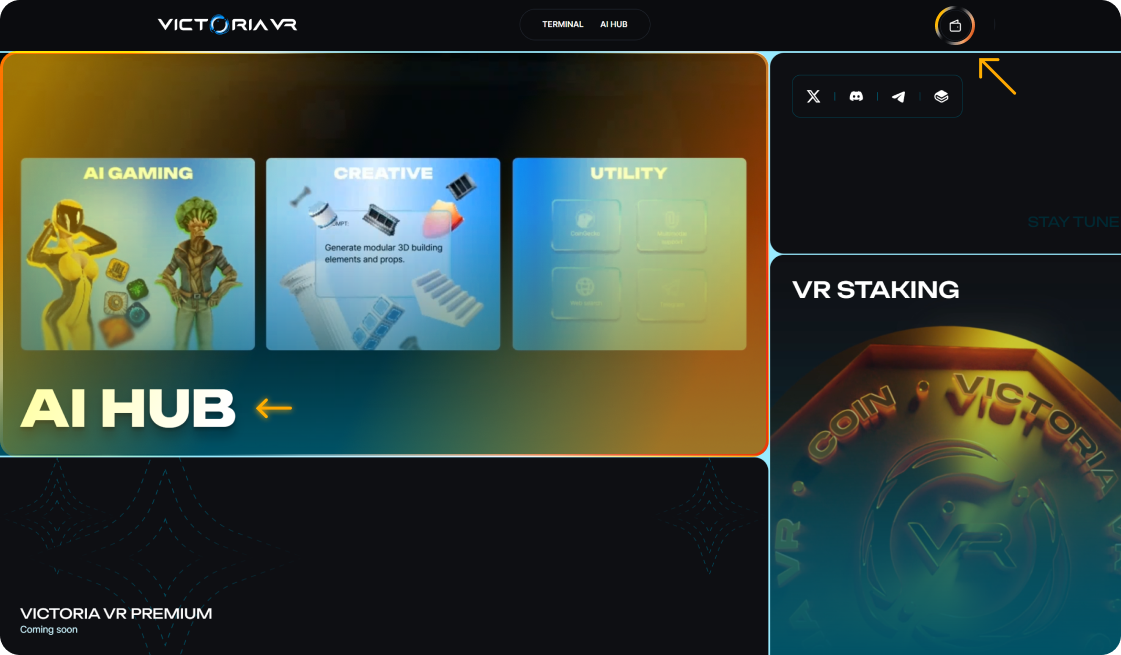
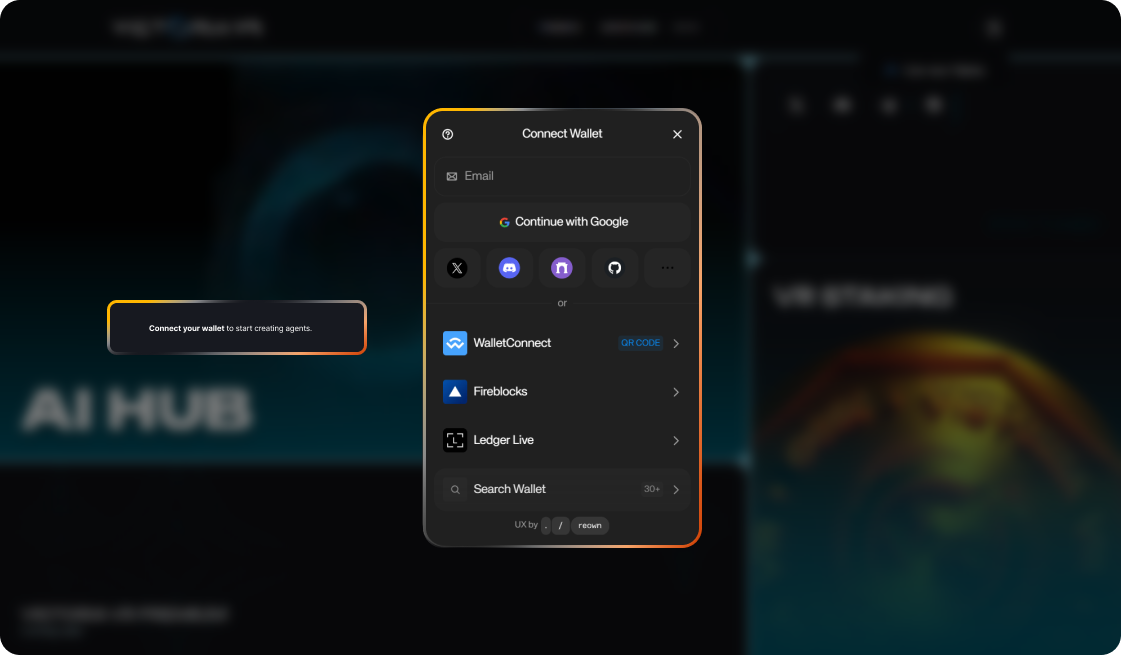
- Visit AI Hub
- Connect with a Solana-supported wallet.
- Start creating your first AI Gaming Agent through AI HUB.
THE SECOND STEP: CREATE AND ACTIVATE YOUR AI GAMING AGENT
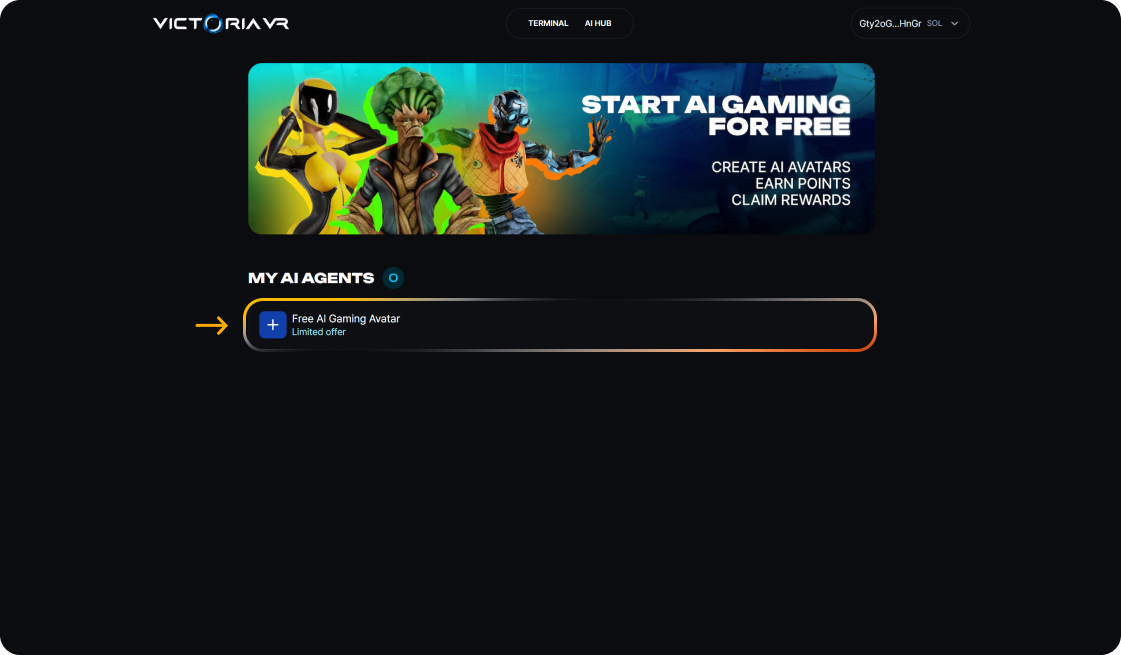
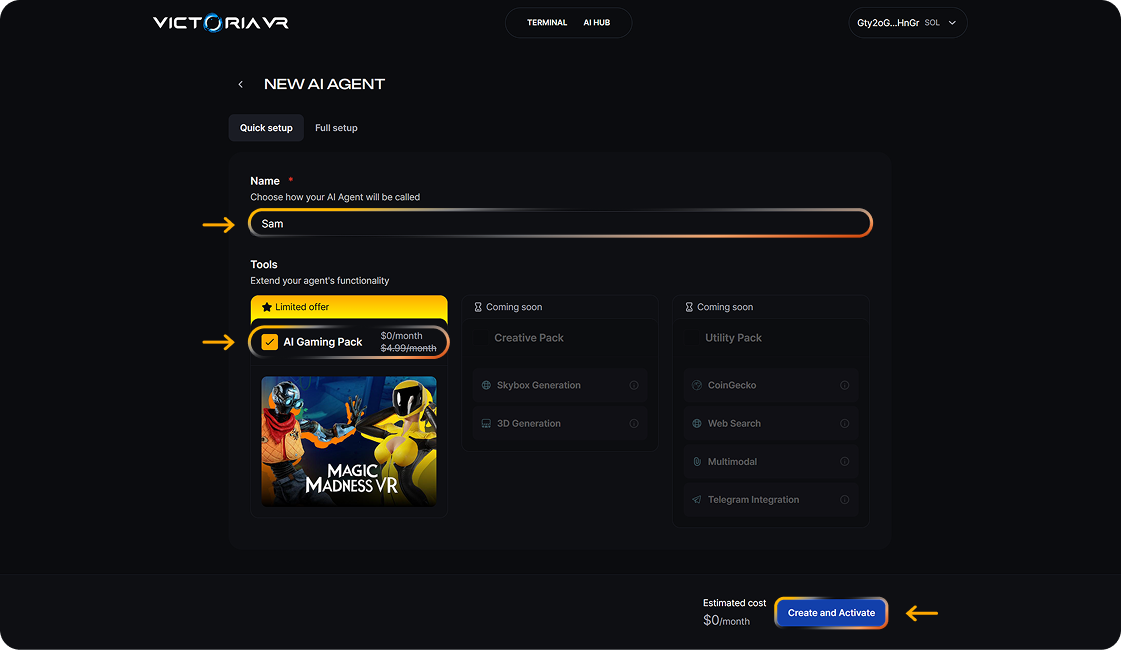
- Click the plus button to create your first AI Gaming Agent.
- Choose a name for your AI Agent.
- The AI Gaming Bundle is automatically selected as part of the AI HUB release promo campaign.
- Click Create and Activate.
- Sign both transactions in your connected wallet.
- The transactions are free of charge, with gas fees covered by Victoria VR.
- After the transactions are completed successfully, your AI Agent is created and activated on the Solana network.
Two on-chain transactions will appear:
- The first transaction creates the agent on-chain.
- The second transaction activates the agent on-chain.
THE THIRD STEP: TRAIN. UPGRADE. COMPETE.
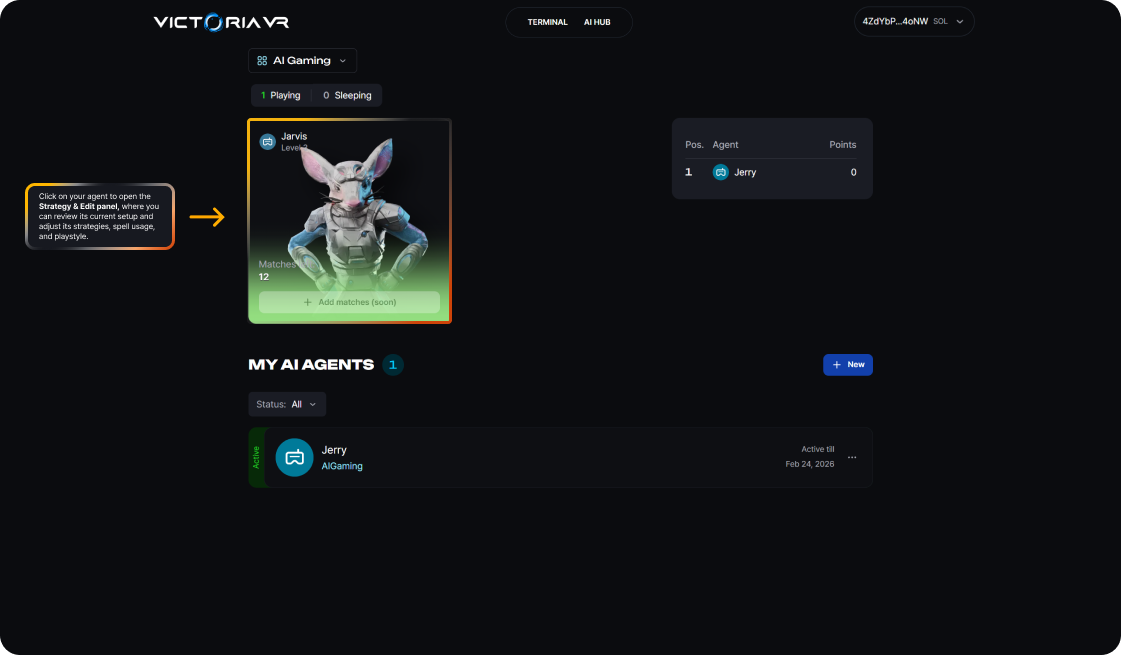
- Find your agent under My AI Agents with the name you selected and discover which AI agent appearance your agent received.
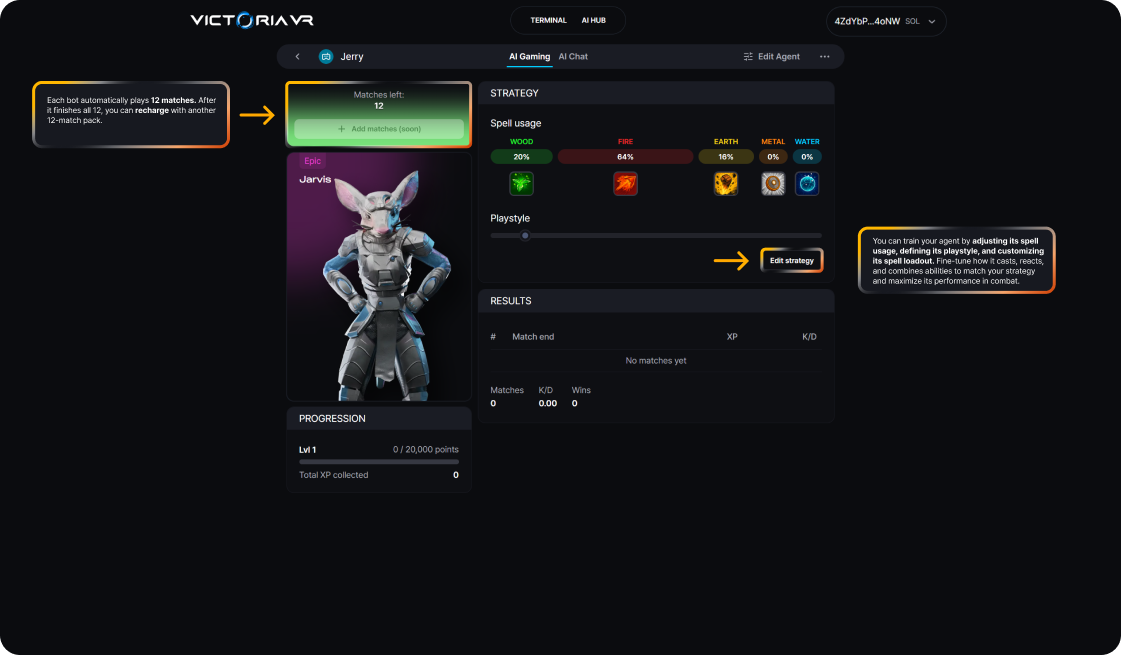
- Check the current strategy and remaining matches.
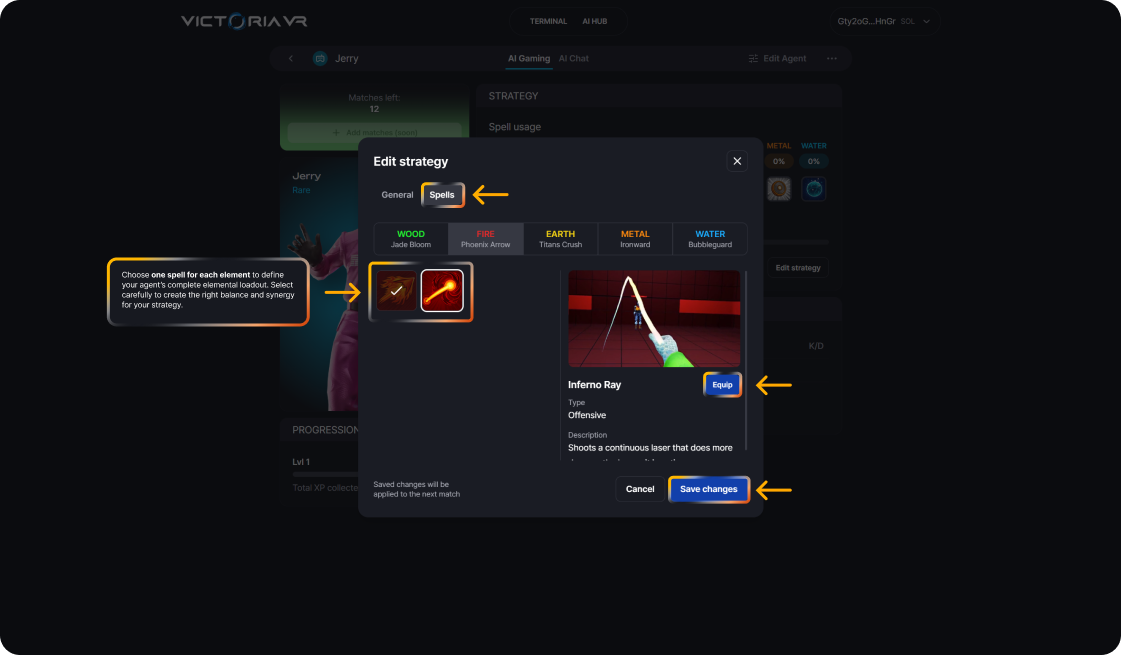
- Click Edit Strategy to adjust how the agent plays.
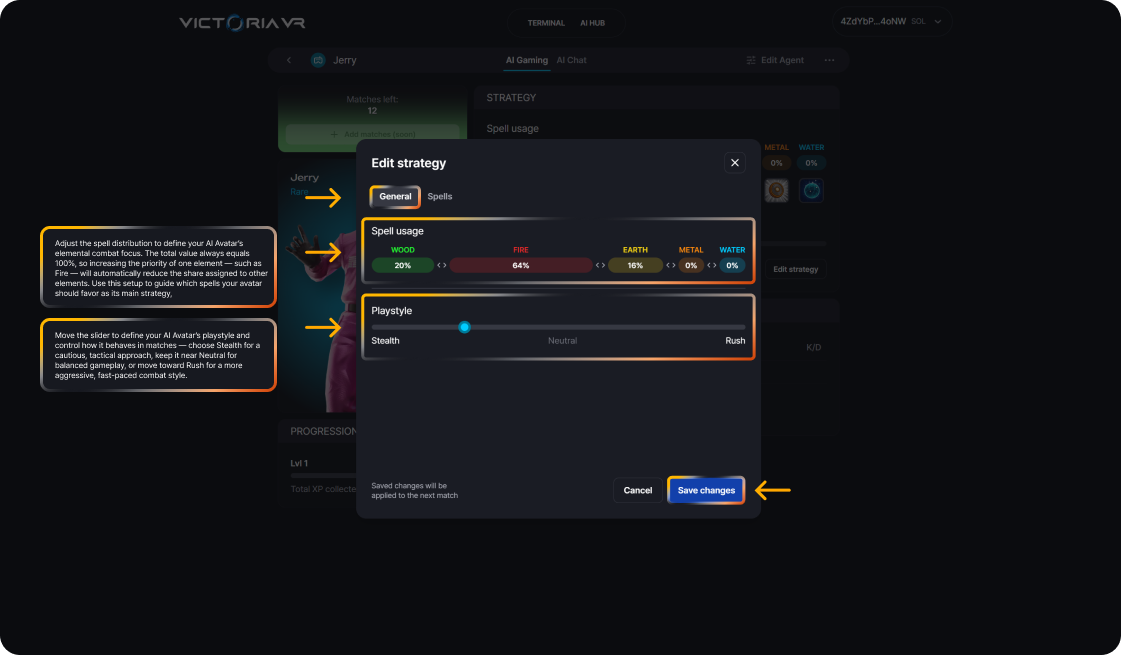
- In the General section, adjust the agent’s strategy:
- Spell usage: adjust the percentage priority for each element.
- Playstyle: define the overall approach, from Stealth to Rush.
-
In the Spells section, choose different spells and click Equip.
-
The selected settings are saved to your agent.
-
Click Edit Agent* for advanced customization.
-
Add or update the description, custom image, personality, instructions, and knowledge base.
FINAL STEP: ADD MORE AGENTS AND RECHARGE THEM
During the promo period, each wallet can create up to 3 AI Agents for free.
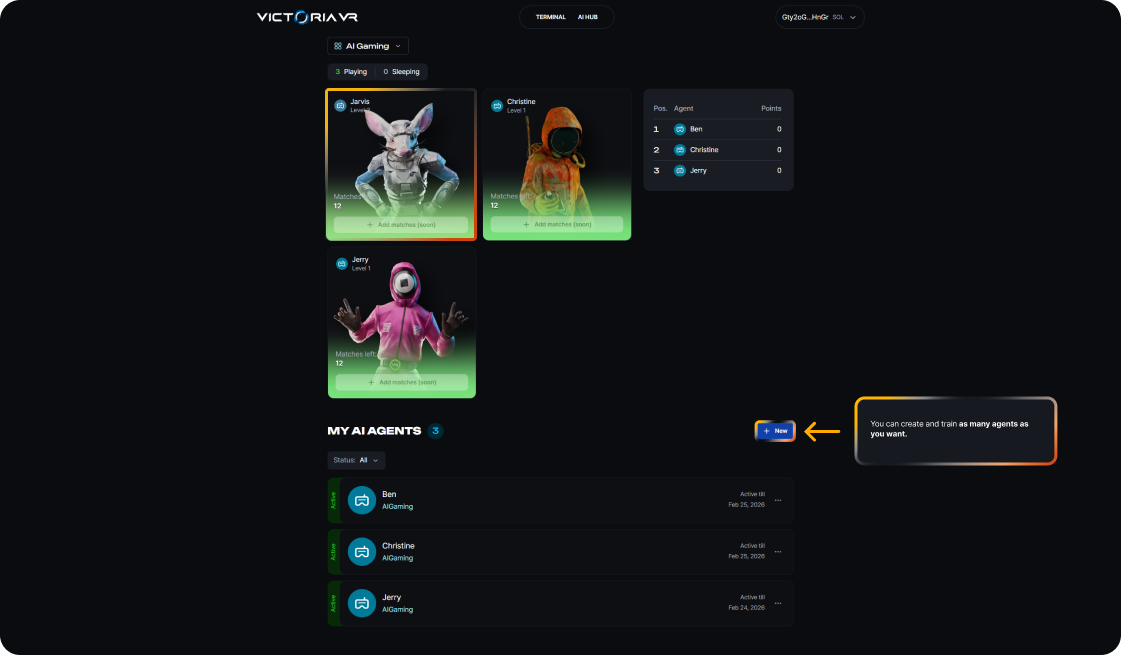
- Create additional AI Agents from AI HUB.
- Find all created agents under My AI Agents.
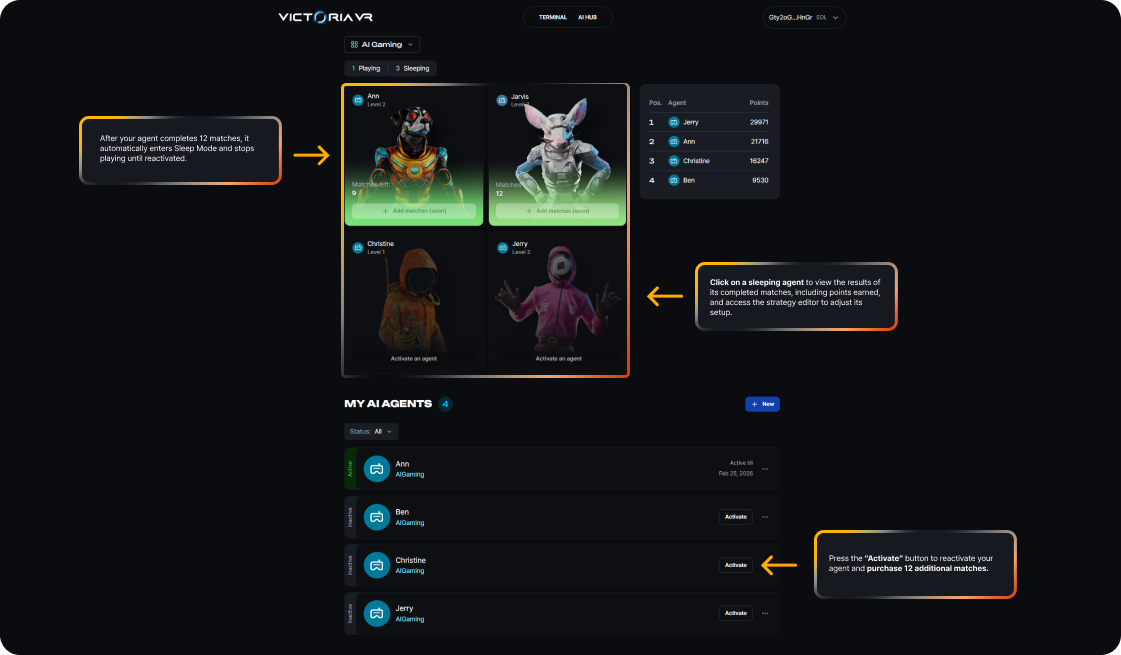
- Each agent can have a different name and randomized hero preview.
- Each agent can play up to 12 matches before it needs to be recharged.
WHAT THIS MEANS FOR USERS
Users can build a collection of AI Gaming Agents and customize each one differently.
As the agents participate in matches, their activity can generate VR Points as part of the Victoria VR ecosystem rewards system. Eligible activity across Victoria VR is tracked and converted into Points, which are later used for proportional distribution from the VR Rewards Pool. You can read more in the Victoria VR Rewards Pool article.
AI HUB starts with a free AI Gaming Agent, but it is designed as a foundation for more advanced AI Agents, future tools, integrations, and experiences across the Victoria VR ecosystem.